VR practice reduces material waste, consumable use, and repeated workshop setup during early training stages.
VR welding training simulator
Next Welder
Practice welding inside a virtual workshop with guided exercises, live performance feedback, weld quality analysis, and post-weld reports built for skill development.
About the project
A safer way to build welding awareness before real workshop practice.
Next Welder is a VR training project for practicing welding procedures in a controlled virtual environment. It helps learners understand setup, positioning, joint preparation, bead behavior, and common welding defects before moving into hands-on work with real equipment.
The project focuses on measurable practice. Instead of simply showing a welding animation, it tracks the learner’s performance, gives live feedback during the weld, and turns each attempt into a report that can be reviewed and improved.
Learners can repeat technique drills without using plates, wire, gas, electrodes, or machine time for every attempt.
Features
Training features built around welding performance and quality.
01
Virtual Welding Workshop
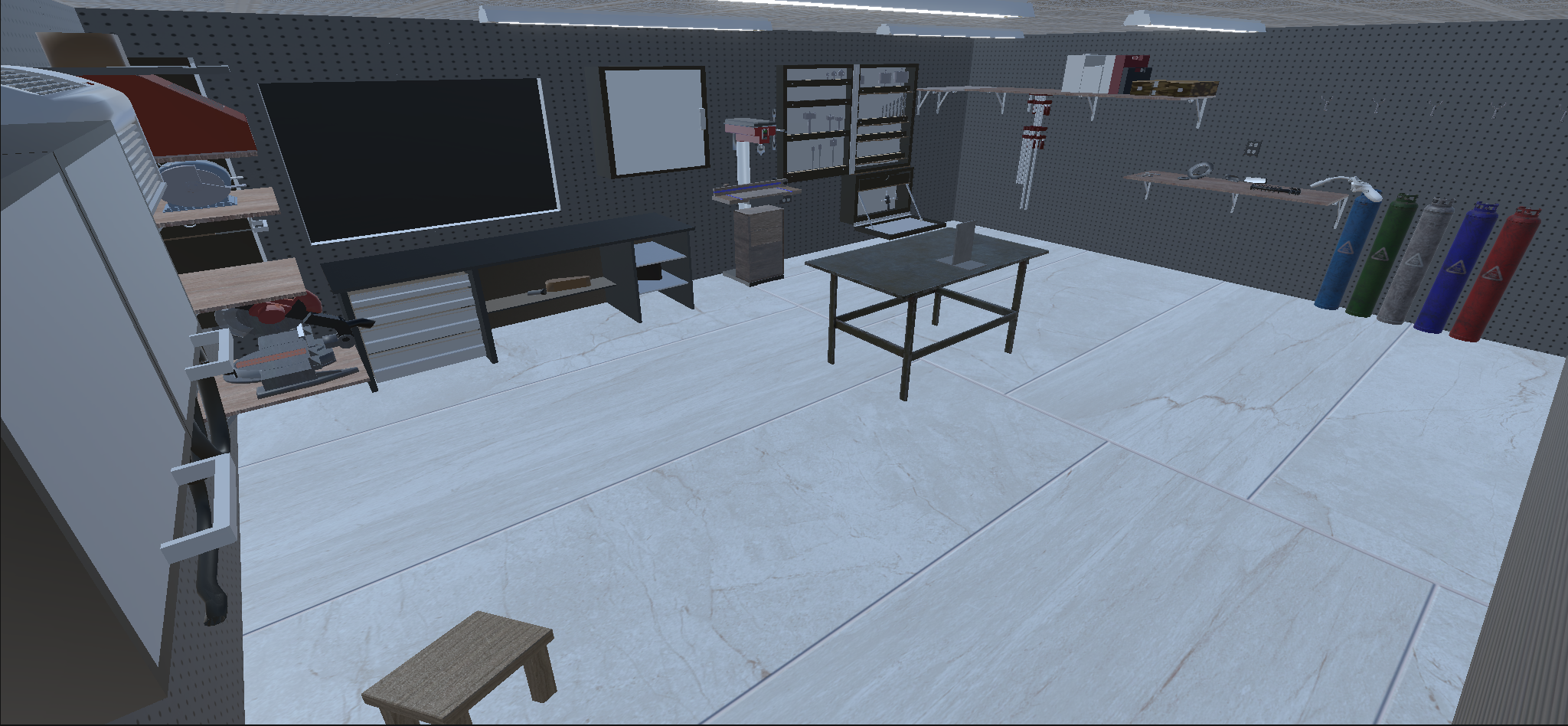
A fully modeled workshop space gives learners a realistic place to practice, with a welding table, work area, tools, shelves, gas cylinders, and the surrounding setup needed for focused training.
02
Multiple Joint Types
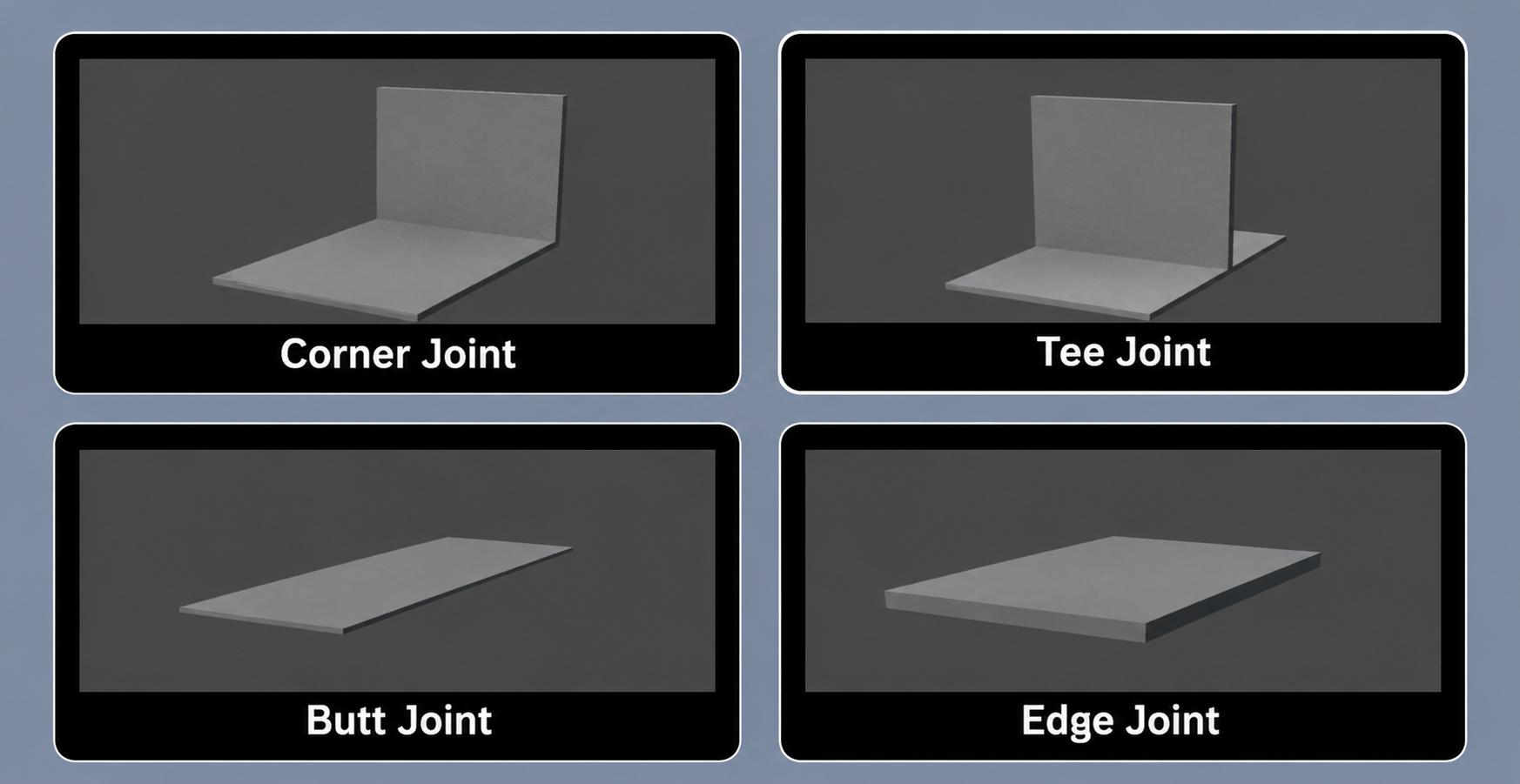
Learners can train across different joints, including corner, tee, butt, and edge joints, so practice can move beyond a single fixed workpiece.
03
Live Parameter Feedback
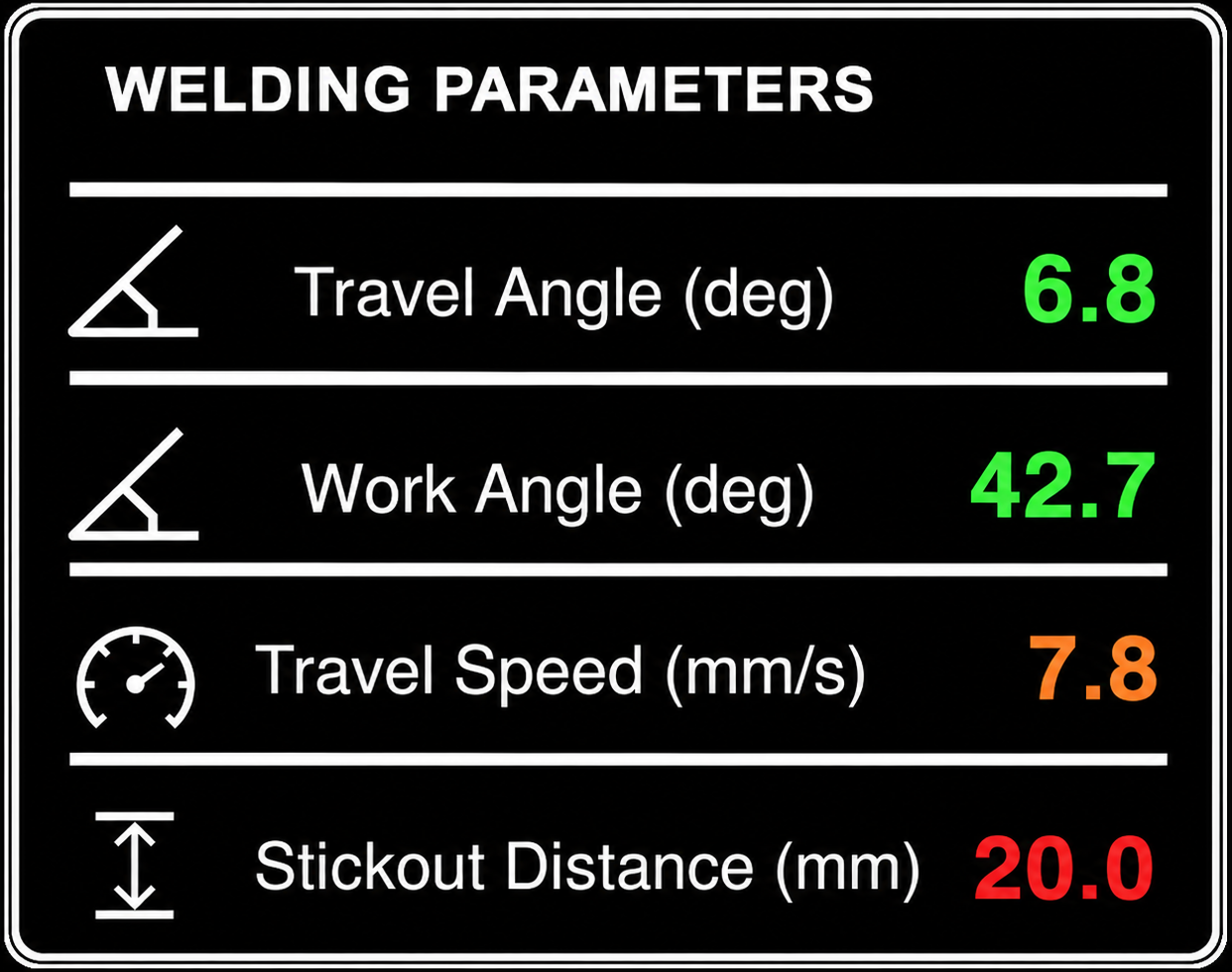
The HUD tracks travel angle, work angle, travel speed, and stickout distance, giving learners immediate visual feedback while they adjust their technique.
04
Quality and Defect Detection
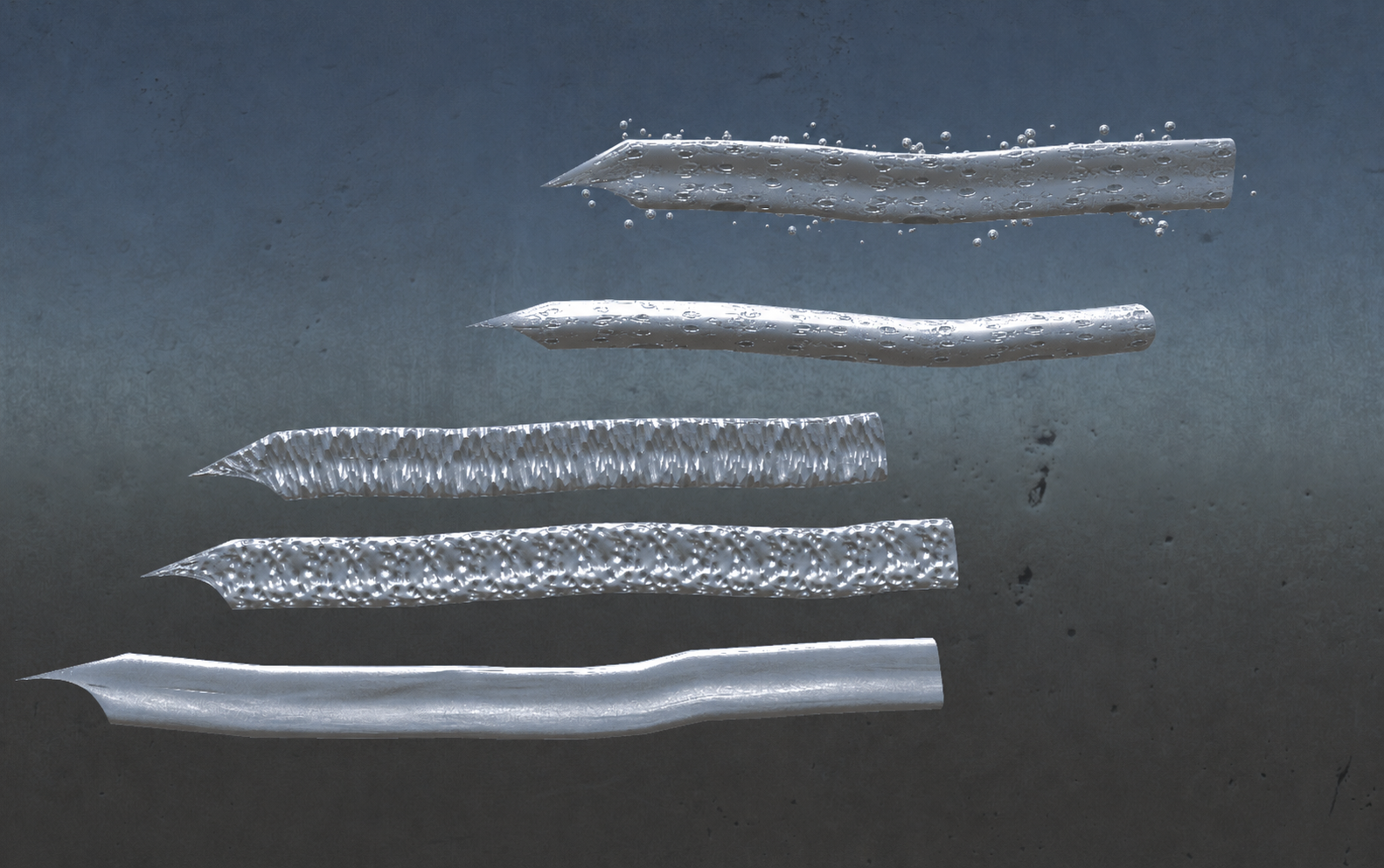
The simulator connects welding technique to visible weld outcomes, helping learners recognize defect patterns such as Spatter, Lack of Fusion, Overlap, Porosity, or Normal bead if no mistakes were made.
05
Post-Weld Performance Report
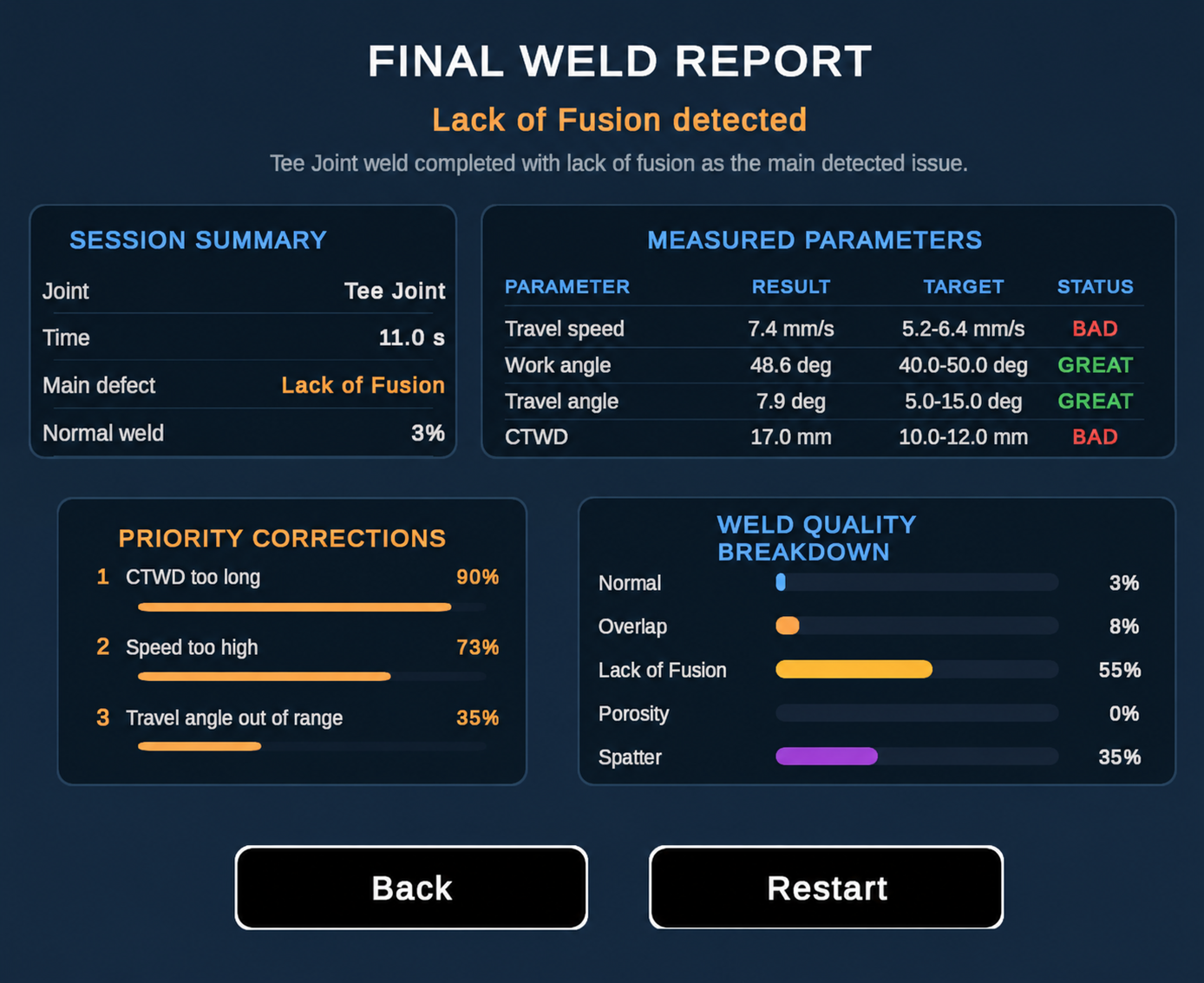
After each attempt, the final report summarizes the session, compares measured parameters against target ranges, identifies the main defect, and lists the highest priority corrections.
Training flow
Practice, measure, review, and improve.
Choose the exercise
Select the weld joint type you want to train on.
Weld with live feedback
Practice while the simulator tracks important technique parameters and highlights unstable movement.
Review the report
Use the post-weld report and defect feedback to understand what happened and what to improve next.
Download center
Download the simulator build or view the project repository.
The APK provides the playable VR build for direct use on the Meta Quest 3 headset, while the repository gives project access for development, review, and future updates.
Contact
For inquiries, suggestions, and collaboration.
For project inquiries, technical questions, collaboration opportunities, or suggestions, contact the Next Welder team through one of the emails below.